
ShopRite Shop From Home Tips and Tricks
- Erynn Capriotti
- Dec 19, 2017
- 3 min read

Is there ever enough time in the day? How do people do it? Juggling being a mother of two, a wife, a realtor, cooking, cleaning, errands... the list goes on and on. Whenever I find something that makes my life just a little bit easier - I DO IT. So this is my gift to you, it saves me precious time, toddler melt downs, and money.. I give you SHOPRITE SHOP FROM HOME. No more dragging your kids down the isles of the supermarket. Forget looking for the best priced items, or even the chance to look at your shopping list. By the end of the trip you're just throwing things in the cart making a b-line for the cash register before your kid topples out of the seat, spilling the open (and not paid for) snack that they just HAD to have. Shoprite Shop From Home allows you to place an order online, pull up to the store, they take your payment (and your coupons), and then they load the groceries in your car! All for about five dollars extra, which after my tricks, you will get back in promotions - and then some! Tips and Tricks: Create an account. Create a Shoprite account and link it to your price plus card. If you do not have a price plus card yet, it will prompt you to sign up for one. This keeps track of everything you purchase (you can shop right from your previous purchases if you want), you can create lists, and load your digital coupons this way.
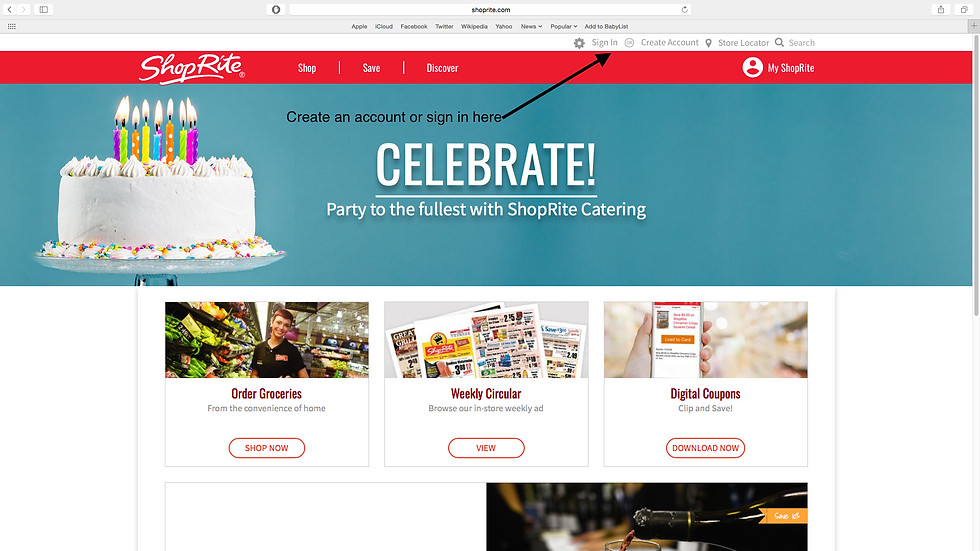
Load your digital coupons. After I sign in and before I start my order, I go to the digital coupon section. I "load to card" any coupons that may pertain to something that I usually buy. For instance, I always buy my kids the Annie's mac and cheese and some of their other snacks as well, so I loaded them on my card. These coupons will come off automatically when you check out at the store. You can also double them up with other coupons, ie. from the newspaper or coupons.com.

Promotions section. They used to only allow you to use one online promotion per transaction. Now you can use as many as you want! Usually on the streaming banner you will fine the "big promo". (You can also find this deal on the circular you get in the mail). This is usually about 20 dollars off a 200 or a 250 dollar purchase. That's big savings if you ask me! Especially when you are probably spending that much money anyway!

Next go into the online savings, offers and more. In this section you can click on all the different promotions they're offering. Lets say they have a promo for General Mills: if you spend 25 dollars they give you 5 dollars back. I go thru the section and select the items that I WOULD NORMALLY BUY. If that equals the 25 bucks, great! If not, no big deal. The reason being, you can get really carried away with "saving money", but in reality you're just buying more then you would in the first place. Shop the circular. They have an interactive circular right on the site. You can flip thru the circular and click on the items you want to add to your cart. This is a great way to save money. If you are a person that plans their meals, plan your meals around what is on sale! Coupon. I know. Couponing is A LOT of work, and it can be time consuming. I'm not saying go all "Extreme Couponing", but with a little effort, paired with the shop from home, it will save you some cash. To take the guess work out there is a great site that I use called livingrichwithcoupons.com. Go to this site, click on Shoprite, and it will literally pair every coupon out there to what is on sale at Shoprite. It also incorporates the promos as well. You can also go to coupons.com and print out the coupons that you know apply to your order, or just go buy a Sunday paper. Last but not least, and this is something I found out by accident.. did you know that not all Shoprite's price the same? There are three Shoprite's that are adjacent to where I live (gotta love South Jersey). When I plug the same order into each of the locations, I got a CONSIDERABLE difference. I'm talking like forty, fifty dollars! Check out the map below for some extra information on the Shoprite that is nearest to you!


Comments